website

Monthly Archive for September, 2009

SendBlaster Ranked #1 Email Marketing Software
Twebsitemaghe September issue of the popular webzine Website Magazine includes an interesting report on the Best Email Marketing Service Providers and Resources for Web professionals of 2009.
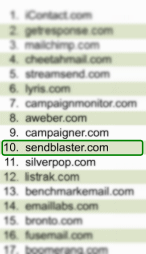
SendBlaster not only is listed among Top 10 in WebsiteMagazine’s Top 50, but it ranks No.1 among mass mailing softwares (all other positions are occupied by web based services).

top50

It’s a honor being selected as one of  best Email solutions for 2009:  we definitely keep working hard for making email marketing easy-to-use and affordable!

Website Magazine is available to subscribers and in digital form at http://websitemagazine.com.

Email Marketing Links – the best of the week #3

It’s Friday again! These are our fav links of this week.

SendBlaster 2 launch getting closer

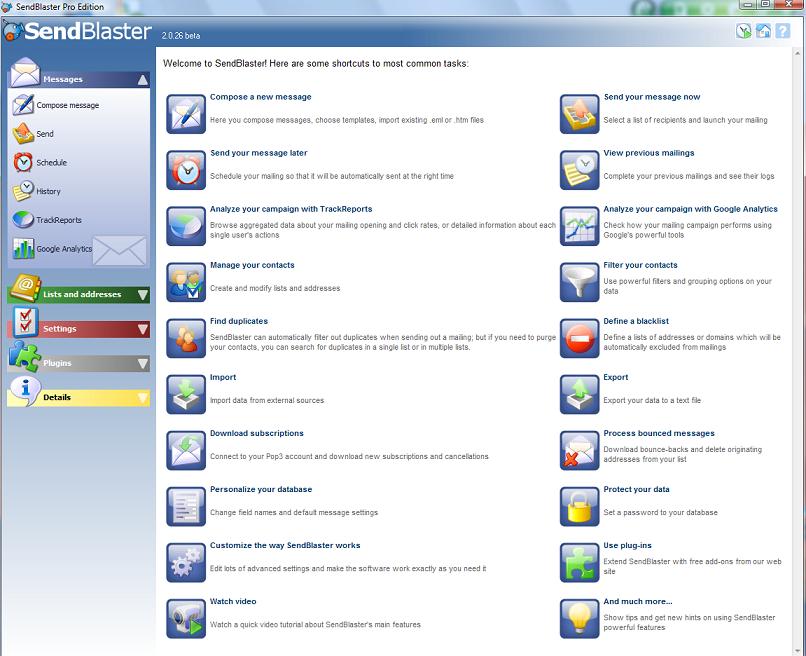
sb2betaWe are very excited about the launch of SendBlaster 2, the biggest relesase ever!
Our dev team are releasing a new beta by the end of September. And this is supposed to be the final beta before official launch.
We are sure you will appreciate the renovated interface and all the brand new features!

Please note that all existing SendBlaster users could upgrade at a discount price and with no hassle: the new version will be installed along side the existing version and will not overwrite any files and database information currently installed.

If you want more info about the new SendBlaster take a look at this previous post and be sure to follow us also on twitter and facebook for more updates!

“This is spam” is not a substitute for “Unsubscribe”

According to a recent survey promoted by MarketingSherpa most consumers don’t correctly comprehend the term “spam”: 56% consider marketing messages from known senders to be spam if the message is “just not interesting to me.” But there’s more. Regarding the use of the “report spam” button – the primary tool that internet service providers (ISPs) provide readers to counter spam – nearly half of respondents (48%) provided a reason other than “did not sign up for email” for reporting an email as spam.
Confusion is pervasive among consumers regarding what they believe will happen as a result of clicking the “report spam” button:

* Over half of respondents, 56%, reported that it will “filter all email from that sender.”

* 21% said it will notify the sender that the recipient did not find that specific email useful so the sender will “do a better job of mailing me” in the future.

* 47% said they would be unsubscribed from the list by clicking “report spam,” whereas 53% do not think that’s the case.

Continue reading ‘“This is spam” is not a substitute for “Unsubscribe”’

How to Work with Preview Panes

Statistics show that 69% of people reading e-mail at work and 27% of consumers don’t actually open each email message: they use the preview pane to scan them.
What is the preview pane? It’s that space where reader can automatically view just a small portion of an email message without actually opening. In other words for marketers, it’s a very important factor for successful newsletters.

The top of your newsletters should be designed to persuade your subscribers to open your email to keep reading.
Here some advices that can help you to optimize your templates in order to make more effective preview panes.

  • Include relevant content so that it can be viewed in the preview pane even if images are disabled:
  • Use a pre-header (text-only) to convey high-value content, e.g. including a call to action (Buy now, Sign up here,…)
  • Add your prominent logo or company name. It will improve the authenticity of your message.

Continue reading ‘How to Work with Preview Panes’

How to Use the Blacklist Feature

When a recipient requests to be unsubscribed, you should change his/her subscription state.  SendbBlaster gives you a second chance: the “blacklist” feature.
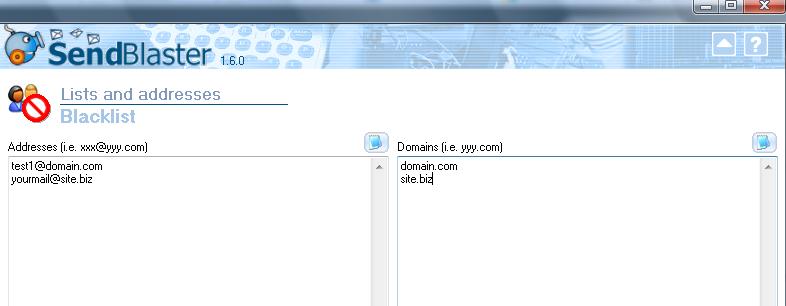
Blacklist is a filter that prevents certain e-mail addresses or domains from receiving mails, independently from their subscription/activation state.

How does it work?
When you send a message to a given list, before each mail is actually sent, Sendblaster checks whether the recipient’s address or domain is included in the blacklist: if it is, that mail is skipped and a “blacklisted” message will be shown in the log panel.

You can setup two different blacklists:

  • Addresses blacklist: all these e-mail addresses will never receive a mass emailing
  • Domains blacklist: no address belonging to that domain will ever be sent a message.

Continue reading ‘How to Use the Blacklist Feature’

Increase Opens with Killer Subject Lines

j0435880One of the most important elements of a successful newsletter is the subject. 1 out 3 Americans open emails solely based on the subject line (Jupiter Research, 2007) and nearly 70% of Americans choose to click the “This is Spam” button based on what they see in the subject line. The challenge is then to grab the attention of your subscribers: a compelling subject line can improve dramatically your emails’ open ratios. Below are some tips:
- Short is better. Keep subject lines between 20 and 50 characters.
- Avoid spam keywords. Words such as free, stock, money, password etc may trigger spam detection software. Even misspelled words, symbols and punctuation such as ! , € and $ can play a role in your email being filtered. So it not necessary, keep them out of your subject lines.
- Forget all CAPITAL LETTERS. It increases the chances of getting blocked as spam by the filters.
- Write different subject lines. If you have a list of 100.000 addresses. take out three groups of 1.000 emails and send each a separate test subject line. 24/48 hours later look at your reports and choose the winning subject lines according to open and conversion rates.
- Brand your email. Include the name of your site or your newsletter. It will create a stronger name recognition. It’s a good habit to set the “From” attribute of your email to include your name and your companies name.

Continue reading ‘Increase Opens with Killer Subject Lines’


Load Times Plugin made by Cheap Web Hosting