website

Monthly Archive for December, 2009

SendBlaster Directory – Get Some FREE Promotion!

Would you like some free promotion?
We have just started a directory which lists a selection  of individuals, companies and non-profit organizations using SendBlaster for their e-mail marketing campaigns.

Links on popular web sites are extremely valuable nowadays, as they increase your online visibility and ranking with search engines; don’t miss this opportunity!

If you are using our software too, just fill out this form.

GUIDELINES
Please take the time to read over our submission guidelines to avoid your website being rejected for inclusion in our directory:

. Only submit your Home Page
. No adult sites or adult related content.
. No sites under construction or with broken links or missing images.
. No sites that redirect visitors to another site or affiliate sites
. No sites selling or advertising weapons, drugs and other illegal products.
. No on-line casinos, gambling and betting sites
. No illegal sites containing copyright infringement, plagiarism, violence, fraud, racism, vulgarity or warez.
. Sites with popups / pop unders will not be listed.

We don’t ask for a link back on your site – but it’s obviously very appreciated! ;)

Season’s Greetings from SendBlaster Team

Season's greetingsIt’s hard to believe that Christmas is here again and another year is is almost over.
2009 has been a good, busy year! We have worked very hard on the new version of SendBlaster, and are very excited to launch it worldwide at the very beginning of 2010. Be sure to follow us to learn more about the new release.

To all SendBlaster users – past, present and future – we’d like to wish you a very Merry Xmas and a Happy New Year!
See you in 2010.

Including A Table Of Contents In Your Emails

When you send a  newsletter consisting of different sections, it’s a good habit to include, right below the header or in the upper part of the sidebar, a Table of Contents.
The Table of Contents is a great way to summarize the contents of the email and, at the same time, is also a great help for your readers  in finding the most interesting contents for them instead of scrolling.
But, how to create it? First of all, instead of calling it “Table of contents”, choose a more friendly name like  “In this issue”, “Quick Links” or “Find it fast”. Now, add the titles of your main sections, paying attention not to exaggerate in lenght. Your “link headlines” must be clear and short so that they capture the attention of your readers without disappointing them when they click through.

Finally, you have to create the “navigation links” for your Table of Contents. They are actually anchor links  HTML tags that reference a specific portion of content on the same page (in this case, an email).

Continue reading ‘Including A Table Of Contents In Your Emails’

The Importance of Colors in Email Campaigns

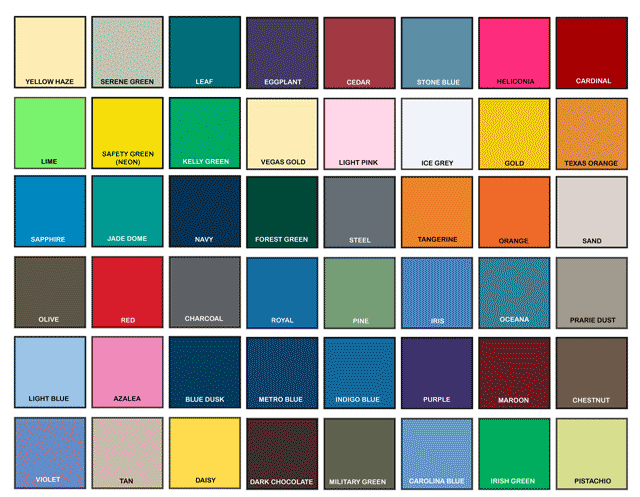
colorsThe choice of color scheme for your emails should never be left to chance.
Indeed, using email templates made up of colors completely different from those used on your website or your logo could create problems for the cohesiveness of your brand identity.
Luckily, with a little care, this danger is easily avoided. Above all, color should not be over-used. An overly colorful newsletter can appear unprofessional and may jeopardize user-friendliness. It is best to stick to your brand or web-site’s characteristic colors. This will make your emails instantly recognizable to your readers, helping to preserve your brand identity.
If you are unsure of which color codes to use in your template, there are a number of trustworthy (free) on-line services that can recognize the exact color code of any on-line element. Here’s our selection of the best.

Continue reading ‘The Importance of Colors in Email Campaigns’

Top 10 Customers Questions (with answers)

For your convenience, we have compiled a list of our most frequently asked questions ( + answers) submitted by our users and new customers to help you out.

1. I am using Free Edition; if I upgrade to Pro Edition will my data and settings be preserved?
No worries, no hassle! All data and settings will be preserved.

2. How many emails per hour will I be able to send  with SendBlaster Pro?
Speed and successful sendings depend on your SMTP service, so if we suppose you have a good internet connection (+DSL)m, a good SMTP server (e.g. provided from your ISP, your hosting company) and emails size is around 10 kb, you may use SendBlaster to send around 7.000/10.000 email per hour.

3. I bought a single Pro software license, can I use it on multiple PCs?
As with any personal productivity tool, if you own a single license you can install and use SendBlaster on a single PC only. If you need multiple licenses please contact our customer service (quantity discounts are available).

4. I need to send my mailings from an e-mail address which is different from the one I used for buying / licensing, is that possible?
Sure, you can send your mailings from any address; it doesn’t have to match your license key e-mail address. As an examnple, if you bought SendBlaster as xxx@site.com, you can send mailings from yyy@othersite.org, as well as from any other address you like.

Continue reading ‘Top 10 Customers Questions (with answers)’

10 FREE Christmas Email Templates [Updated]

=====================================================================
UPDATE: We’ve created more Free Christmas Email Templates. Check out our latest post to download a large collection of 71 Christmas Email Templates and send them with SendBlaster.
=====================================================================

It’s Christmas once again! Send your Christmas greetings to friends, collegues, customers by choosing our beautiful Xmas email templates. You need just to download Sendblaster, then choose an email template, write your custom greeting message and send it. Feel free to modify them, add pictures, icons, change fonts, and so on.

download-free-christmas-email-templates

How to use our Xmas HTML email templates:

  • Download Xmas email template pack (zip)
  • Extract .eml files and copy them in C:/Programs/Sendblaster/Template
  • Open SendBlaster (or download it HERE)
  • Select “Compose message”
  • Click on “Choose template”
  • Choose your favorite Xmas template
  • Fill your list (or import it from outlook express, .csv,…)
  • Compose your personalized message
  • ..and finally send your custom ecard to your recipients!

120.000 users = 120.000 stories

Did you know there are over 120.000 SendBlaster users around the world?
We believe each one of our users have an interesting story to tell and we’d like to share them with the world!
Why did you start sending bulk emails? What was your main purpose? What has been your biggest achievement so far?
Share your email marketing experience! It does not matter if you run a small or large business, manage 100.000 subscribers or only 100.
To submit your story, please fill out this form.
We’ll feature it on our popular high traffic official site, along with a short description of your business and a link to your Web site.


Load Times Plugin made by Cheap Web Hosting