website

Tag Archive for 'direct send'

How To Configure SendBlaster With The Right Advanced Settings
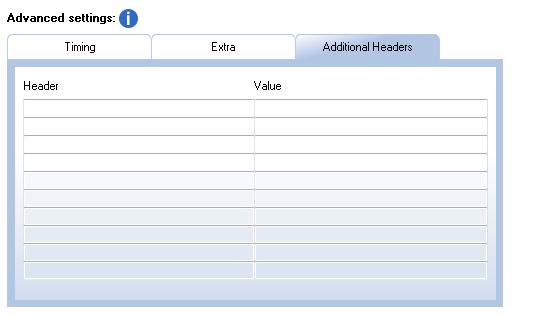
Today we focus our attention on the Advanced Settings section in SendBlaster, which allows users to fine-tune the sending timing, and other special settings. Obviously, to get the right advanced settings it is necessary to try out different combinations and verify how many messages actually get delivered. To simplify the settings, some Suggested settings are available. Please consider that they might not be optimized for your connection but they can be considered a good starting point to find out the best configuration.
Users connected to a “tolerant” enough SMTP server will probably not experience many problems, regardless of the settings specified that will only affect the sending speed.
On the other hand, if your connection is to a rather “strict” STMP server and if a large number of messages need delivered, it may be necessary to slow down message sending to avoid sending messages simultaneously.
Here are a few simple rules to consider:

  • A tolerant SMTP server allows fast sending without any, or with only limited, pauses. On restricted SMTP servers that use multiple anti-spam filters, more pauses and fewer simultaneous connections should be used.
  • SMTP servers do not usually allow the simultaneous sending of many messages. Therefore when sending in SMTP mode the number of connections must be low or, in certain situations, equal to 1 (no simultaneous connections). If the SMTP server is equipped with anti-spam restriction mechanisms, it may be necessary to slow down message sending by setting a pause of a few seconds between each send, and by setting a longer pause between message blocks. Blocks should not contain more than a few dozen messages.
  • In the case of a Direct Send, with a standard distribution list containing addresses belonging to different domains, the messages will be delivered to a variety of different servers. It is therefore possible to set a high number of connections* and limited or no pauses between messages and between blocks.
  • Continue reading ‘How To Configure SendBlaster With The Right Advanced Settings’

Don’t Be Filtered Out as Spam!

nospamNowadays most mail servers have built-in antispam filters. They are quite smart, but sometimes they fail and delete (or mark as spam and redirect to some “spam” folder) perfectly legal messages; this is a common problem with Hotmail and other very popular free mail services. If you feel a lot of your messages are filtered out and not delivered, here are some basic rules to avoid being named a spammer by mistake:

1. Always include plain text: “personal” e-mail messages, even if written using HTML format, always include a plain text part. If a plain text part is missing, most antispam filters become suspicious. When you finish composing your message, use SendBlaster’s “Text from HTML” button to automatically create a plain text part from HTML.

2. Write, don’t paint: most of your message must be text; avoid including large images. Once again, antispam filters become suspicious when the image / text ratio is too high.

Continue reading ‘Don’t Be Filtered Out as Spam!’


Load Times Plugin made by Cheap Web Hosting