website

Archive for the 'Templates' Category

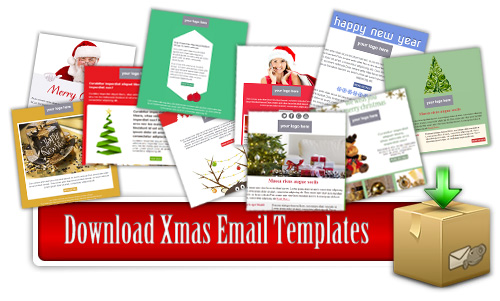
71 Free Colorful Christmas Email Templates

Have you already started sending your Christmas greetings?  If you are still looking for beautiful and colorful Christmas email templates, you came to the right place!
This year we have created a large collection of 71 FREE Christmas Email Templates that you can easily download, customize with your personal greeting message and send them with SendBlaster.

How to get started with Free Christmas Email Templates.

Simply follow the instructions provided below:

  • Download SendBlaster – skip this step if you have already installed SendBlaster on your pc.
  • Download this installer package (.zip, 2.9MB) – compatible only with SendBlaster 2.x
  • Unpack the package and follow instructions during the installation
  • Open SendBlaster
  • Go to “Compose a message” panel
  • Click on “Choose template” and select your favorite Christmas template
  • Customize your template with your fonts/logos/colors
  • Finally, send it to your list

Please note that this package contains 31 templates we already provided last year. If you have already downloaded them, there will be no issues. We did not rename them, so you will not find any duplicates in your copy of SendBlaster.


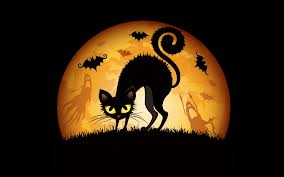
4 Free Halloween Email Templates

Halloween is fast approaching, so maybe you are looking for some themed templates to send out to your subsribers.
Here are 4 new Halloween templates that you can download and customize any way you want. They have already been tested in all major email clients, so just add your custom text, and/or your logo and send them out using SendBlaster!Halloweeen TemplaetsHow to use Halloween HTML email templates:
Download Halloween email template pack (zip)
Extract and copy .eml files in C:/Documents/SendBlaster2/Template
(in C:/Programs/Sendblaster/Template for SendBlaster 1.x versions)
Open SendBlaster (or download it)
Select “Compose message”
Click on “Choose template”
Choose your favorite Halloween template (2011 Halloween 01, 2011 Halloween 02, 2011 Halloween 03, 2011 Halloween 04)

Image Credits: PickymePajkabajkaKirrara002

8 FREE Easter Email Templates

We have just released a free template pack designed for Easter 2011 to use with SendBlaster.
The Easter package includes 8 original free HTML templates, fully customizable and compatible with all major email clients.
All these templates come with .eml format that you can download and send using SendBlaster!

How to import Easter HTML email templates into SendBlaster:

  • Download Easter email template pack (zip)
  • Extract .eml files and copy them in the SendBlaster’ Template folder (ex “C:/Documents/Sendblaster/Template”
  • Open SendBlaster (or download it HERE)
  • Select “Compose message”
  • Click on “Choose template”
  • Choose your favorite Easter email template
  • Fill your list (or import it from outlook express, .csv,…)
  • Compose your personalized message

..and finally send your custom ecard to your recipients!

We would like to thank you the folks at Neuron Web Agency for offering our users these brand new email templates!

Happy Easter everyone!

5 FREE Lovely St. Valentine’s Day Email Templates

Time really flies….it’s St Valentine Day again!  Why don’t you share the love (and unbeatable offers) with your subscribers?

To help you make it easier, we have released some lovely HTML email templates, that you can grab and customize, e.g. adding your logo, your signature and other elements.
These email templates comes with .eml format that you can download and send using SendBlaster or your favorite email client.

Download Valentine's Day Email Templates

How to import St Valentine HTML email templates into SendBlaster:

  • Download St. Valentine’s Day email template pack (zip)
  • Extract .eml files and copy them in C:/Programs/Sendblaster/Template
  • Open SendBlaster (or download it HERE)
  • Select “Compose message”
  • Click on “Choose template”
  • Choose your favorite St. Valentine’s Day template
  • Fill your list (or import it from outlook express, .csv,…)
  • Compose your personalized message

..and finally send your custom ecard to your recipients!

UPDATE!
Want even more free St. Valentine’s Day email templates?
Our business partner Neuron Web Agency just made available 10 free original templates, perfect for spreading love with email.

Pimp Your SendBlaster With 30+ New Email Templates

As you probably know, SendBlaster comes with dozens of  free email templates (50 in the Free edition – 100 in the PRO edition).
Today we are happy to offer you the opportunity to expand your current template library with 30+ unique email templates…in less than 60 seconds!
This collection of email templates is courteously offered by Neuron Web Agency – an European-based communication company – specializing in web design, web development/SEO and web marketing.
Check this page for all the details.
15 Free email templates by Neuron Web Agency

Get in the Christmas Spirit with 31 Free Christmas Email Templates

Christmas Email Templates

It’s time to get on with the Christmas planning. Start sending your Christmas greetings to your friends, collegues and customers!

We are pleased to offer our customers and free users 31 professional designed email templates you can use in combination with SendBlaster.

Our Christmas email templates make it easy for you to compose and send your Christmas greetings  in one shot. You just need to download them, choose your favorite ones, write your custom greeting message and send them. Surely, you can also modify them, add pictures, icons, change fonts, and so on.

How to get started with Free Christmas Email Templates:
To start using the Free Christmas Email templates with SendBlaster 2 you must first download this installer package (zip format).

Once you’ve donloaded the zip file,  unpack the package and follow the instructions during the installation. All templates will be automatically added to the Sendblaster template library.
Finally open SendBlaster, go to the “Compose a message” panel and click on “Choose template”  to select your favorite Christmas template.

Please note that this installer package is compatible only with SendBlaster 2.

Not using SendBlaster 2? No worries, you can download and install SendBlaster 2 in minutes and then follow the instructions above.

But wait, there’s more! This year we are delighted to offer an award winning software, High Impact eMail Holiday Edition (usually priced at €49), free with any purchase of SendBlaster Pro 2! This is a time-limited offer, valid up to December 31, 2010.
What do you get?  Over 500 professional-designed HTML holiday-themed templates that let you create attractive and effective Christmas emails even if you do not have any graphic design or HTML programming experience!
Learn more »

It’s Halloween Again – 4 FREE and Scary Email Templates

It’s Halloween time again and maybe you are looking for some good free templates to customize and send to your subscribers.

Here below you can find a set of templates (4) ready to use for your Halloween emails. Of course, you can also edit them, for example adding your logo, new icons or changing fonts.

How to use Halloween HTML email templates:
Download Halloween email template pack (zip)
Extract  and copy .eml files in C:/Documents/SendBlaster2/Template
(in C:/Programs/Sendblaster/Template for SendBlaster 1.x versions)
Open SendBlaster (or download it)
Select “Compose message”
Click on “Choose template”
Choose your favorite Halloween template (halloween 1, halloween 2, halloween 3, halloween 4)


Load Times Plugin made by Cheap Web Hosting