website

Tag Archive for 'twitter'

Using Twitter To Empower Your Email Marketing

Email marketing is powerful by itself, but combine it with Twitter, and you have an explosive combination. Need some tips on how to make the two complement one another? Try these tips for harnessing the power of Twitter and email marketing.

Use Email to Get Twitter Followers

Make it easy for the people on your email list to follow you on Twitter. Include a link to “Follow Us on Twitter” in each email you send out. Surprisingly, many businesses forget to take this simple step. Doing this can increase your number of Twitter followers quickly without any additional work on your part and build up your influence in the Twitter universe.

Twitter Your Email Subject Lines

Twitter allows tweets that are 140 characters or less in length. Keep your email lines short and catchy so you can use them as Twitter tweets. When they click on a tweet, a link takes them to the email and gives them a chance to sign up to be on your email list. Make sure your subject lines are intriguing. You need to grab their interest!

Continue reading ‘Using Twitter To Empower Your Email Marketing’

SendBlaster 2.0.116: List-Unsubscribe header, Sharing Buttons and New Report Tools

Good news for everyone! We’ve just published a new release of SendBlaster (v. 2.0.116). All SendBlaster 2 users can download it and install it free of charge.
What’s new? We have included some general enhancements and introduced some cool new features that we are sure you’ll love.
In particular:

Facebook & Twitter Sharing buttons
SendBlaster 2.0.116 makes it easy to add buttons to share email content on Facebook and Twitter.
By clicking on sharing buttons, recipients are redirected to their social network profiles. They can preview the article, choose to publish it and share it with their friends with one single click.

Support for List-unsubscribe header
SendBlaster 2.0.116 supports the List-unsubscribe header. Including a list-unsubscribe header brings some benefits in terms of email deliverability: spam complaints, (generated when readers hit the spam button) are expected to be reduced since that the process to unsubscribe is made simpler and immediate. When it’s activated, recipients will see an Unsubscribe button, or link, that they can click if they would like to automatically stop receiving future mailings.

Continue reading ‘SendBlaster 2.0.116: List-Unsubscribe header, Sharing Buttons and New Report Tools’

How To Integrate Facebook, Twitter and LinkedIn Into Your Email Campaigns

Social networking websites have revolutionized the way people interact online. Consumers are spending increasing amounts of time on these sites, want to share more and more information, opinions, valuable content.  According to some reports the rise of social media may represent a threat for email marketing.  Actually, they should be considered a great opportunity to enhance its effectiveness.
How to fill this gap?  The first (and simplest) step to take is creating links between social media and email to provide more ways for people to share.

By following these instructions you can integrate the three most popular social networks (Facebook, Twitter, Linkedin) into your email campaigns and start giving people multiple ways to interact.

FACEBOOK
Facebook can be easily integrated to your emails by adding the following “share” url:
http://www.facebook.com/share.php?u=url
Make sure to replace “url” with the web link you want to share.
e.g. http://www.facebook.com/share.php?u=http://blog.sendblaster.com
By clicking on this link, your subscribers will see a preview of your article on Facebook and will be able to choose whether to post it to their wall or send it as a direct message.
When posting to their personal profiles, your article will automatically show up in the wall of their friends, which can leave a comment or visit the link.
With a single line of html code you can gain more visibility to your content and reach a larger audience.

Continue reading ‘How To Integrate Facebook, Twitter and LinkedIn Into Your Email Campaigns’

Make Your Emails Go Viral on Twitter

viral-mktgOne of the most popular use of Twitter is to post messages that repeat some information previously tweeted by another users. We are talking about ReTweets, a sort of  compliment you can get on Twitter by sharing interesting content.

At the moment the most popular tool to retweet is the Tweetmeme. Using the TweetMeme Buttons you can discover new content and easily tweet about it.
They work great on any web page (websites, blogs..), but there’s more! In few steps you can easily embed them into your emails too.

Why add a retweet link to your emails?
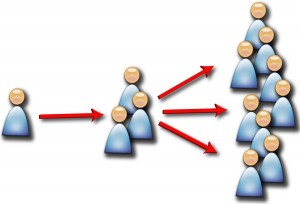
Because it’s a great way to drive more traffic and backlinks to your business. When your readers retweet your newsletter all their followers will see it, and they will be able to retweet it again, and so on. Then all these users could visit your Twitter account (RT@yourusername) or click on the url address and go to your email.

Continue reading ‘Make Your Emails Go Viral on Twitter’


Load Times Plugin made by Cheap Web Hosting